

Ask a Facebook group which website builder to use and you’ll get eleven comments that all say “Squarespace” or “Wix, super easy.” Nobody mentions the website builder tucked inside your EHR either, if you’re considering SimplePractice’s built-in builder instead, that’s worth a separate look too.
Nobody asks what you actually need the website to do.
That question changes the answer completely. A website that exists is not the same as a website that gets you clients. I’ve built over 50 websites for therapists, and I’ve seen both kinds up close. This post breaks down the best website builder for therapists honestly, including the parts platform ads leave out.
Key Takeaways:
- Squarespace is the best DIY website builder for most solo therapists because it balances clean design with acceptable SEO, but it limits how far you can grow in search rankings.
- WordPress gives therapists the strongest SEO ceiling and full ownership of their site, which matters most for practices competing for “therapist near me” searches in larger cities.
- Wix is the easiest platform to start on and the hardest to leave. Sites built on Wix can’t be directly migrated to another platform, so switching later means rebuilding from scratch.
Table of Contents
What is the best website builder for therapists?
Squarespace is the best website builder for most solo therapists who want to build their own site. It offers clean templates, simple editing, and enough built-in SEO to rank in smaller markets. Therapists in competitive cities, or anyone treating their website as their main client source, get better long-term results from WordPress.
That’s the short answer. The longer answer depends on what your website has to do for your practice, so let’s define that first.
What does a therapist website builder actually need to do?
A therapist website needs four things that generic best website builder for therapists articles never mention: local SEO capability, fast load speed, a secure way for clients to reach you, and independence from directories. For the fuller picture of what a therapist website needs to actually convert visitors into clients, the Therapist Website Design Guide covers that in depth. This post narrows in on one piece of it: which platform to build it on.
Local SEO capability. Your clients search “anxiety therapist in [your city],” not your name. Your platform needs to let you control page titles, meta descriptions, headings, and URL structure. Some builders make this easy. Some make it nearly impossible.
Fast load speed. A potential client in distress will not wait six seconds for your homepage. Google also uses speed as a ranking factor. Slow platforms lose on both fronts.
A secure contact path. You don’t need your whole website to be HIPAA compliant, but the way clients contact you matters. You need a platform that plays well with secure form tools and doesn’t dump sensitive inquiries into a regular inbox.
Directory independence. If Psychology Today is your only source of clients, you’re renting your caseload. Your website is how you own it. That only works if the site can actually rank, which brings us back to SEO.
Hold every platform against those four criteria and the marketing claims stop mattering.
Squarespace for therapists: the honest take

Squarespace is the platform I recommend most often to solo therapists building their own site. It’s also the platform whose limits show up right when your practice starts growing.
Where it wins:
- Templates look professional out of the box. Hard to make a Squarespace site ugly.
- Editing is genuinely simple. You can update your fees page without calling anyone.
- Hosting, security, and updates are handled for you. Nothing to maintain.
- Built-in SEO basics cover what a solo therapist in a small or mid-size market needs.
Where it loses:
- SEO control stops at the basics. You can’t fine-tune site speed, restructure URLs freely, or add advanced schema without workarounds.
- Blog functionality is serviceable, not strong. If content is your growth plan, you’ll feel the ceiling.
- Every therapist on Squarespace is choosing from the same template pool. Standing out takes real design work.
If you’re staying on Squarespace, these Squarespace SEO fixes cover most of the gap.
Who it fits: solo practitioners in less competitive markets, therapists who mostly get clients through referrals and just need a credible online home, and anyone who values simplicity over search rankings.
Wix for therapists: the honest take
Wix is the easiest platform to start on and the one I see therapists regret most often.
In the Facebook thread that prompted this post, one therapist mentioned she used Wix for five years, then moved to Squarespace. That pattern repeats constantly. Wix feels great in month one. The problems show up later.
Where it wins:
- The drag-and-drop editor is the most beginner-friendly of the three.
- Cheap entry pricing.
- Fast to get something live.
Where it loses:
- Wix sites are consistently slower than comparable Squarespace or WordPress sites. Speed hurts rankings and conversions at the same time. If you’re already stuck there, here’s how to migrate from Wix without losing your domain.
- The freedom of drag-and-drop cuts both ways. Without design experience, most DIY Wix sites end up looking DIY.
- Here’s the part almost nobody mentions before you sign up: you cannot migrate a Wix site. There’s no export to another platform. When you outgrow it, you rebuild from zero. Your content, your design, your structure, all of it stays behind.
Who it fits: honestly, very few therapists. If your budget is minimal and you need any web presence at all this month, Wix works as a temporary step. Just know it’s temporary, and plan for the rebuild.
WordPress for therapists: the honest take
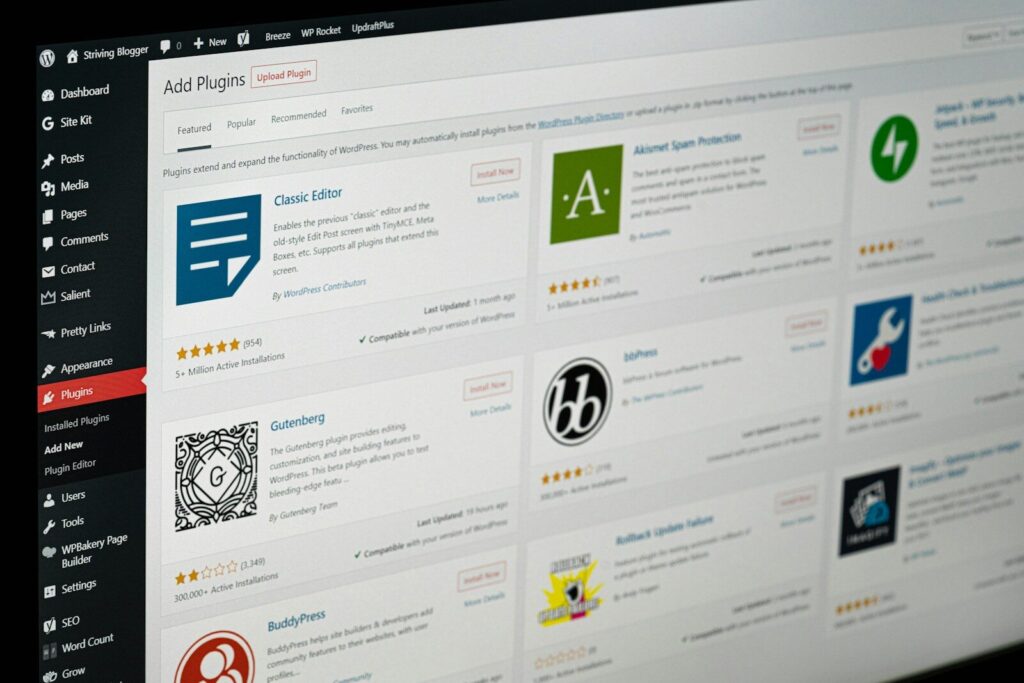
WordPress powers about 43% of all websites, per W3Techs’ ongoing survey. It’s the platform I build most client sites on, and it’s also the one I’d never tell a busy therapist to run alone without help.
Where it wins:
- No SEO ceiling. Full control of speed, structure, schema, and content. Every ranking factor is in your hands.
- You own everything. Your site can move between hosts, designers, and setups without a rebuild.
- The blog engine is the strongest of the three by a wide margin. If you plan to grow through content, nothing else is close.
- Unlimited design flexibility. Your site doesn’t have to look like anyone else’s.
Where it loses:
- There’s a real learning curve. Plugins, updates, hosting, backups. It’s manageable, but it’s not nothing.
- Neglected WordPress sites develop security holes. It needs light ongoing maintenance, either by you or someone you hire.
- Good WordPress sites usually involve a professional at some point, which means higher upfront cost than a DIY builder subscription. That’s the model behind my website design for therapists service. Not sure if you’re at that point yet? Here’s when hiring a designer actually pays off.
Who it fits: therapists in competitive metro markets, group practices, and anyone who wants their website to be a client acquisition channel rather than a business card.
Squarespace vs Wix vs WordPress: which website platform wins?
| Criteria | Squarespace | Wix | WordPress |
|---|---|---|---|
| Ease of DIY | Good | Best | Hardest |
| Design quality (DIY) | Best | Weakest | Depends on builder |
| Site speed | Good | Weakest | Best (well built) |
| SEO ceiling | Medium | Low | Highest |
| Blogging | Basic | Basic | Best |
| Can you migrate away? | Partially | No | Fully |
| Maintenance required | None | None | Ongoing |
| Best for | Solo DIY | Temporary sites | Growth-focused practices |
When DIY works, and when it costs you clients
DIY works when your website’s job is to confirm you’re legitimate. It costs you clients when your website’s job is to be found.
Here’s the test. Where does your next client come from?
If the answer is referrals, insurance panels, or an agency feeding you clients, your website just needs to look credible when someone checks you out. Squarespace, built yourself over a weekend, does that job fine.
If the answer is “people searching Google for a therapist like me,” your website is competing. In most cities, the therapists on page one either have professionally built sites or have invested seriously in SEO. A stock template with default settings doesn’t beat that, no matter which platform it’s on.
One solo LMFT with a dual-state license came to Clarity with no SEO presence at all, an outdated rate listed on her site, and a phone-first contact setup that didn’t match how she actually wanted to work. After a rebuild built around her own intake language, she had 16 inquiries through her contact form and Google Business Profile before any dedicated SEO work even started. The site itself was the fix. Nothing else changed.
The expensive mistake isn’t picking the wrong builder. It’s spending two years on a site that was never going to rank, while paying directory fees for clients your own website should have been sending you.
If you’re not sure which situation you’re in, that’s exactly what a website audit answers. I’ll look at your current site, your market, and your competition, and tell you straight whether DIY is enough where you practice.
The best website builder for therapists isn’t a platform. It’s the one that matches how your next client finds you. Your website builder is a tool. Your market decides how sharp that tool needs to be.